No root · No PC · Android 7.0+ · 500,000+ installs
Turn any Android gesture into a repeatable macro.
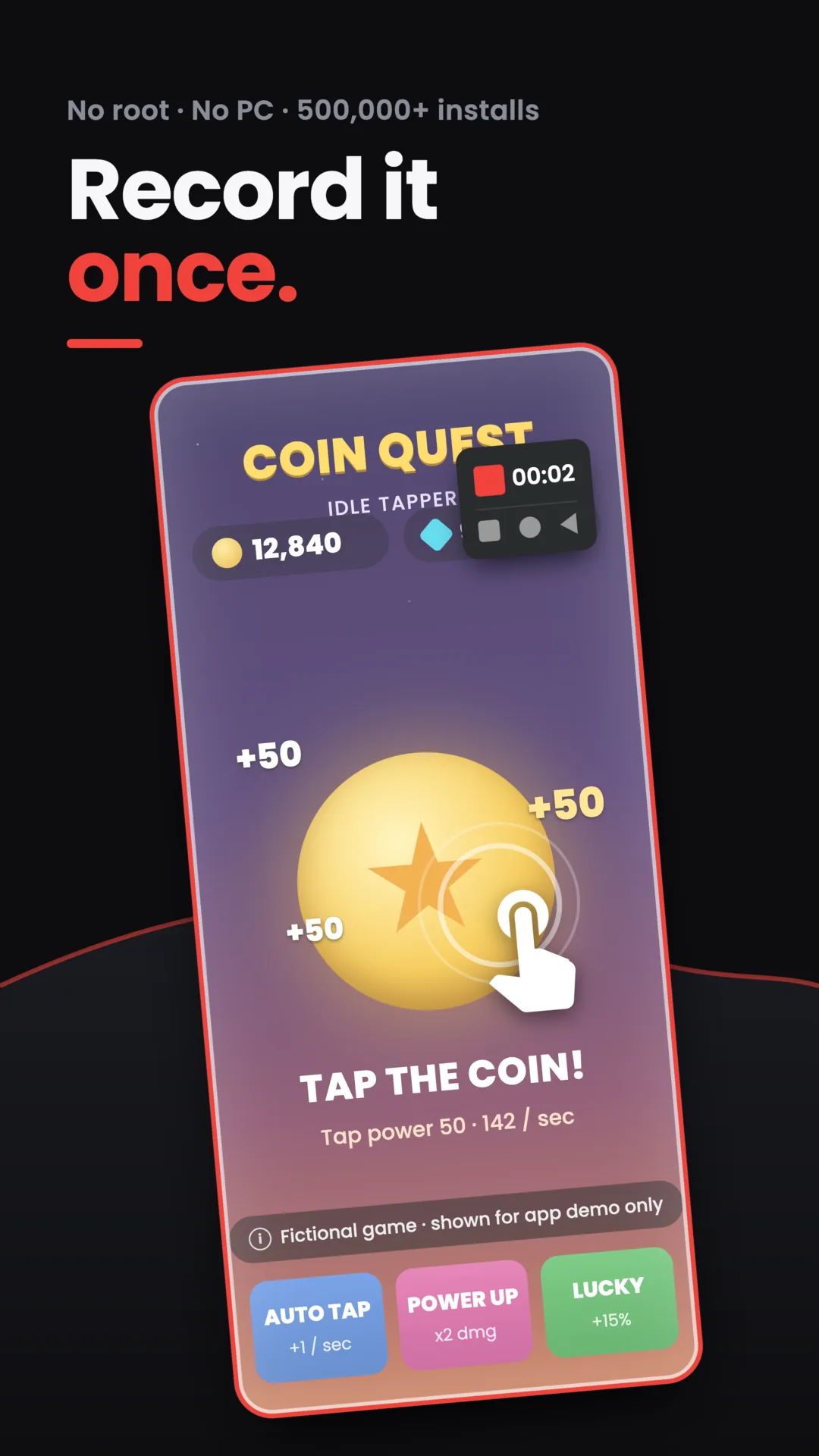
Capture a tap, swipe, or multi-step sequence a single time, then replay it as many times as you need, at any speed, on any app.
Saved scripts
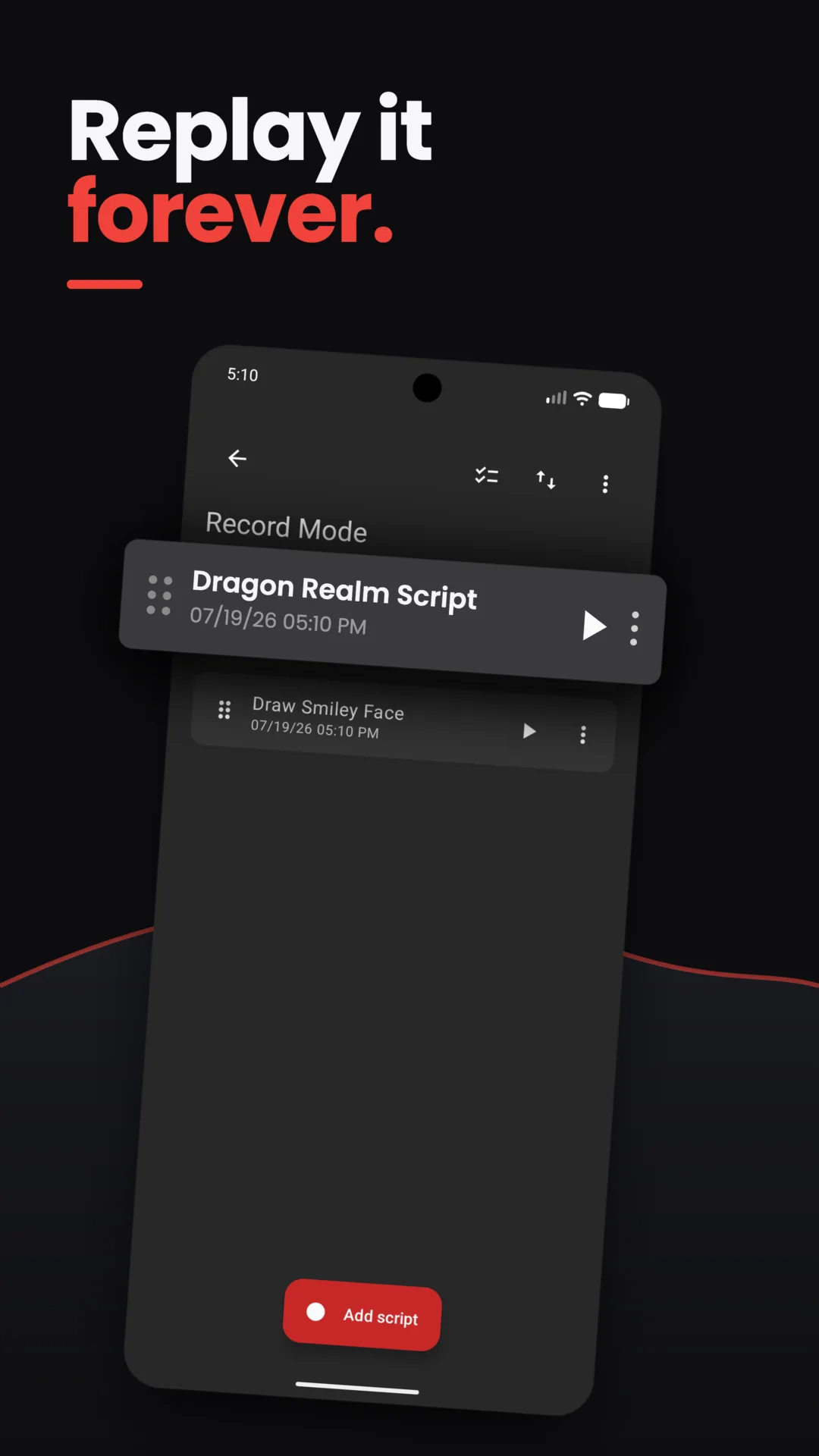
Every recording becomes a script you can replay anytime, unlimited times.
Each recording is saved to a script list with its own name and timestamp. Tap play to run it again, edit it, or start a fresh recording — the list stays put between sessions and holds up to 1,000 scripts.
Natural Playback · free randomizer
Natural Playback varies every tap so replays never look identical.
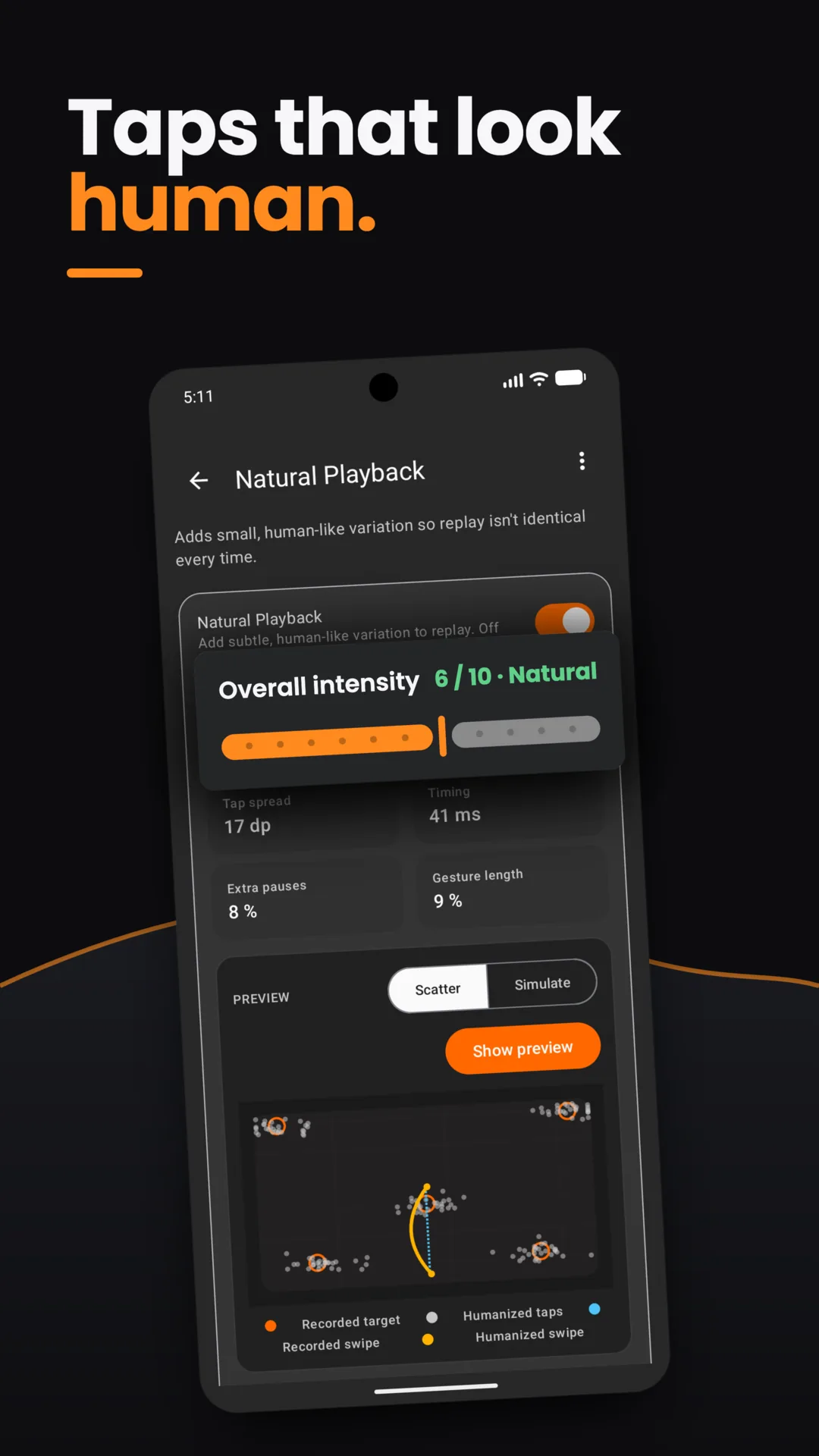
Natural Playback is a built-in randomizer: it randomizes where each tap lands, adds a random delay before the next one, and varies the interval between gestures, so every replay reads as human-like instead of robotic. A master toggle and a single Overall intensity slider, 0–10, named Off, Light, Natural, Strong, and Heavy, control how much variation gets randomized in.
Four live readouts show what the slider is doing: tap spread in dp, timing in ms, extra pauses as a percent, and gesture length as a percent. A Preview panel with Scatter and Simulate tabs plots recorded taps and swipes next to the humanized version before you commit.
Overall intensity is free for everyone. Splitting the randomizer into four independent dials — tap position, timing, press & swipe length, and swipe shape — is a Premium fine-tuning option for anyone who wants tighter control over how human-like the replay feels.
Merge scripts
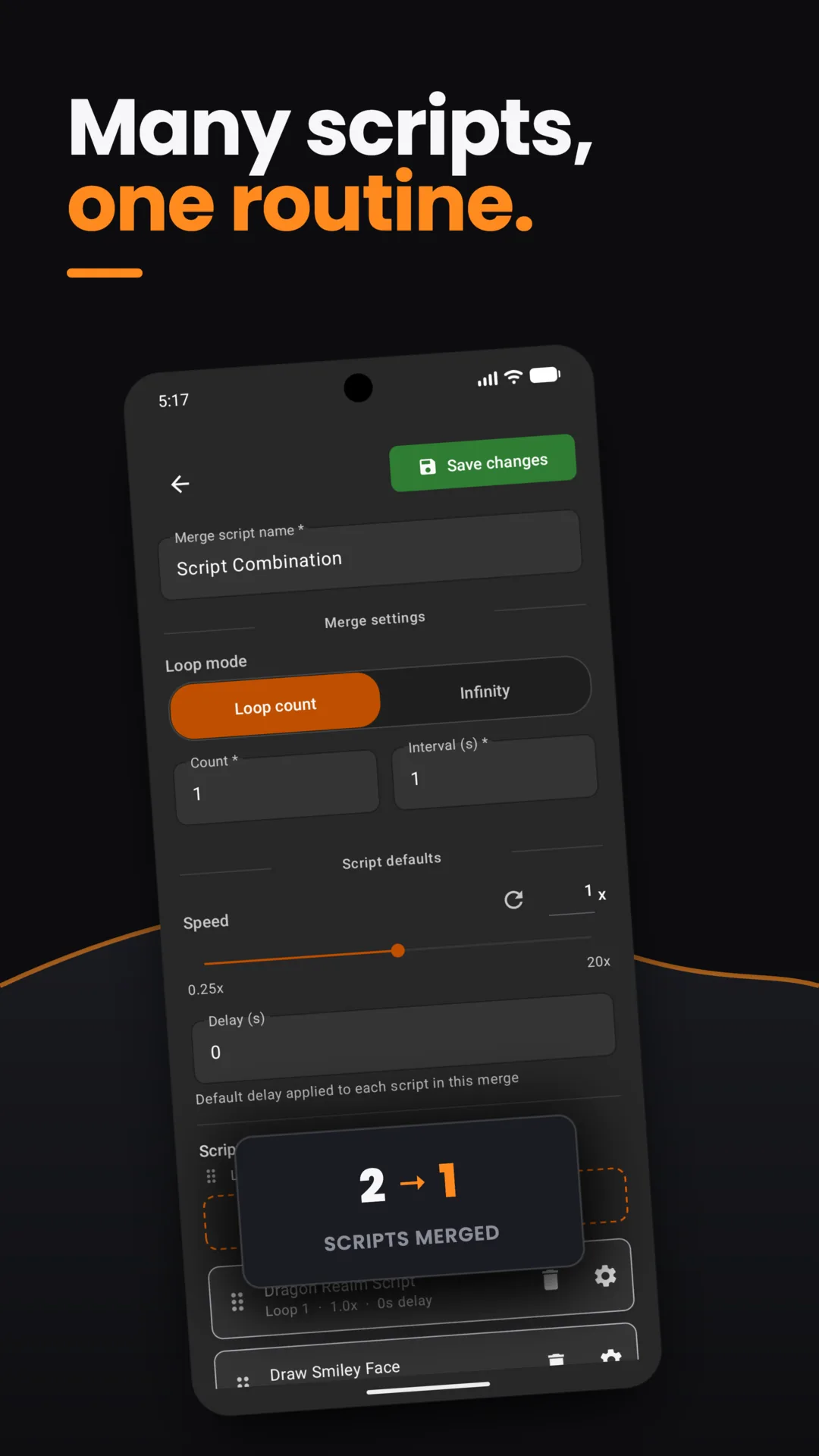
Combine several short recordings into one ordered routine you build once.
Pick loop mode — a fixed count or infinite — and set a default speed and delay applied to every script in the merge. Reorder the steps by drag, then save. The result plays back as a single script, same as any other recording.
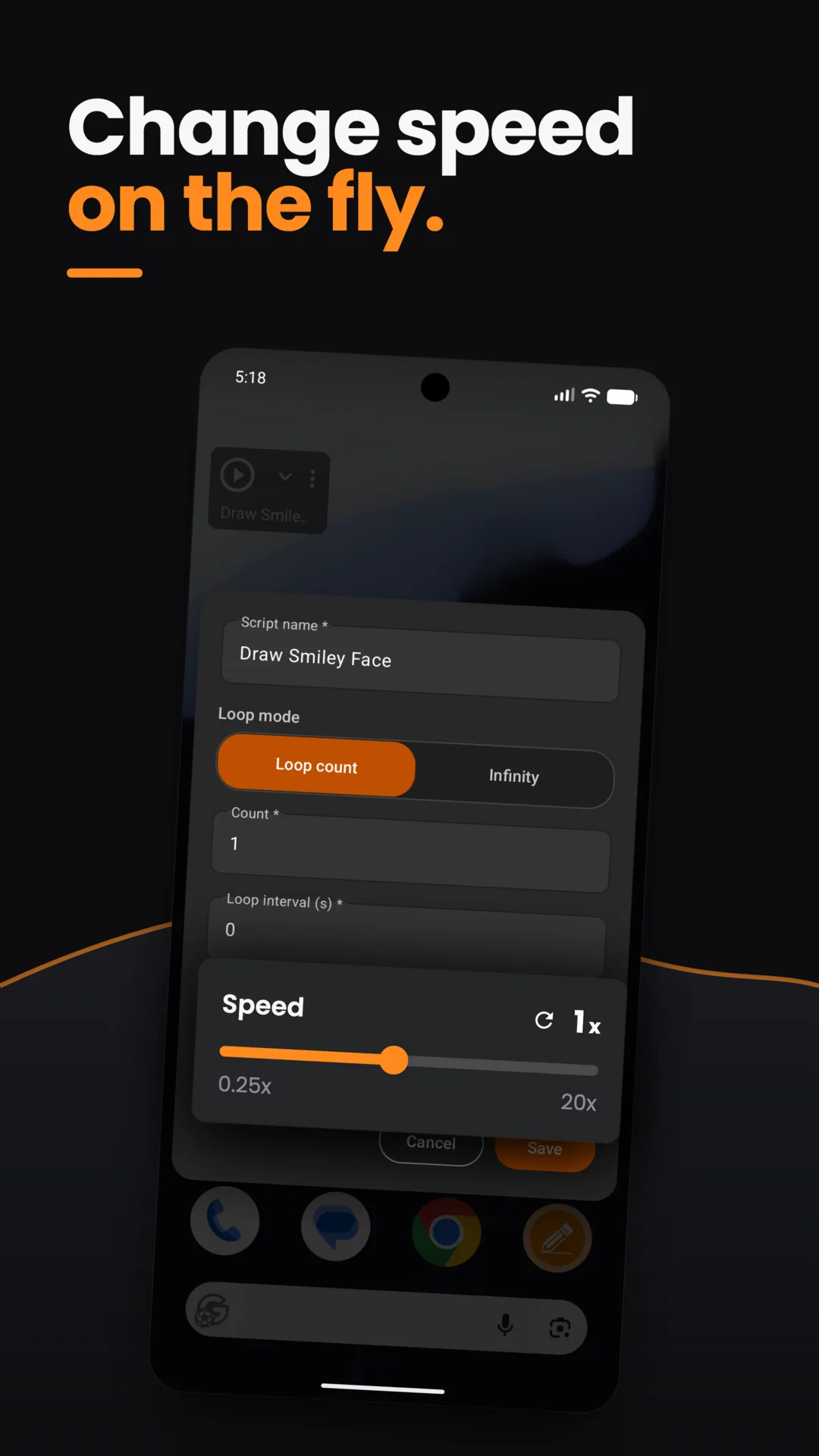
Live control
Change playback speed from 0.25x up to 20x, without stopping the script.
A floating control sits on top of whatever's running underneath — a game, a browser, another app. Drag it anywhere, tap it to open Play, Stop, Edit, or switch back to recording. Speed changes apply on the next dispatch, no restart.
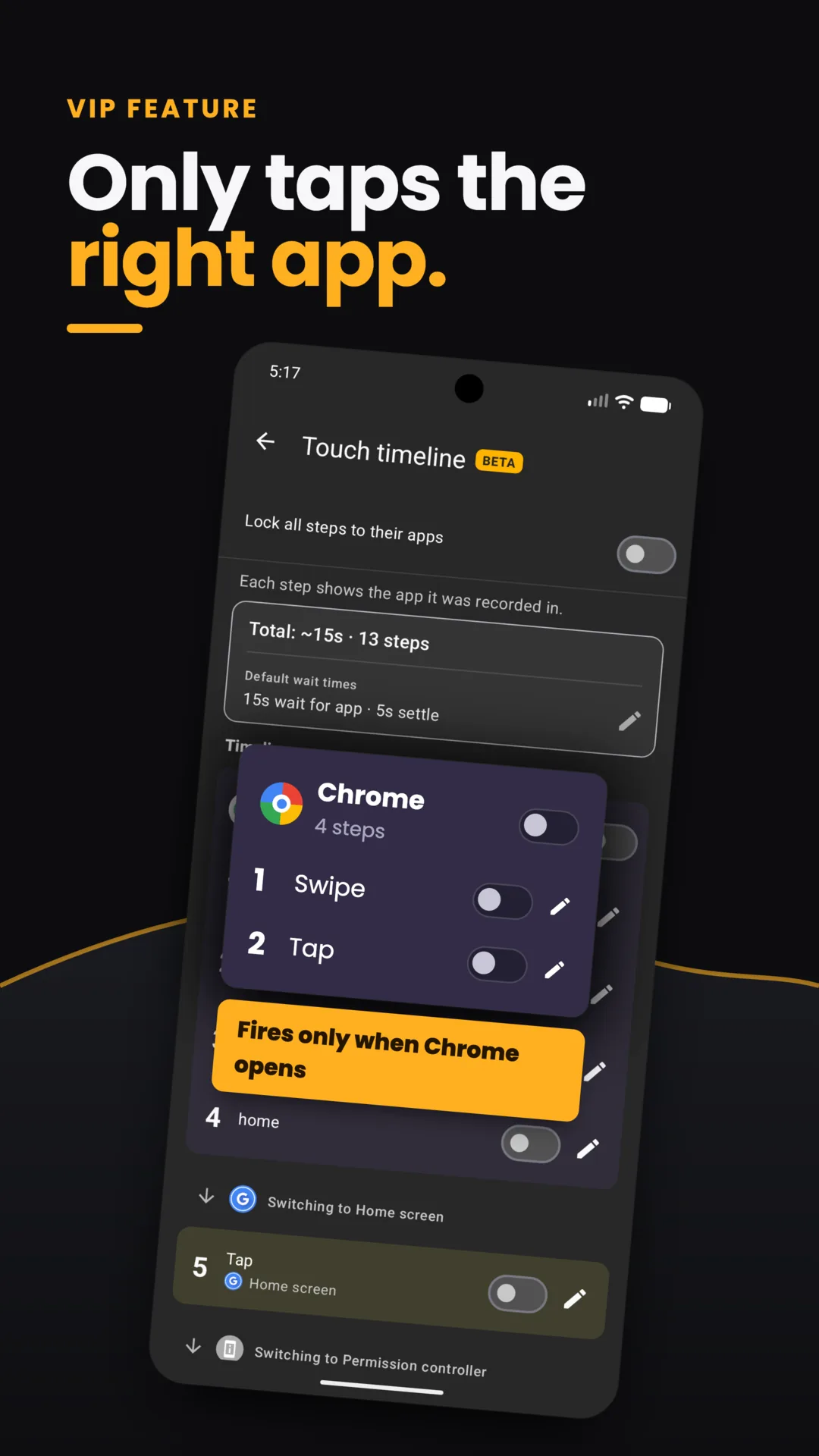
VIP feature
App-Aware Playback
Touch Recorder waits for the right app to open before it taps.
Tag any step to a specific app. Playback pauses until that app is in front and loaded, then continues — and stops the run if the app never shows up. The Touch timeline lists every step grouped by the app it was captured in, so you can see and edit the app-lock per step.
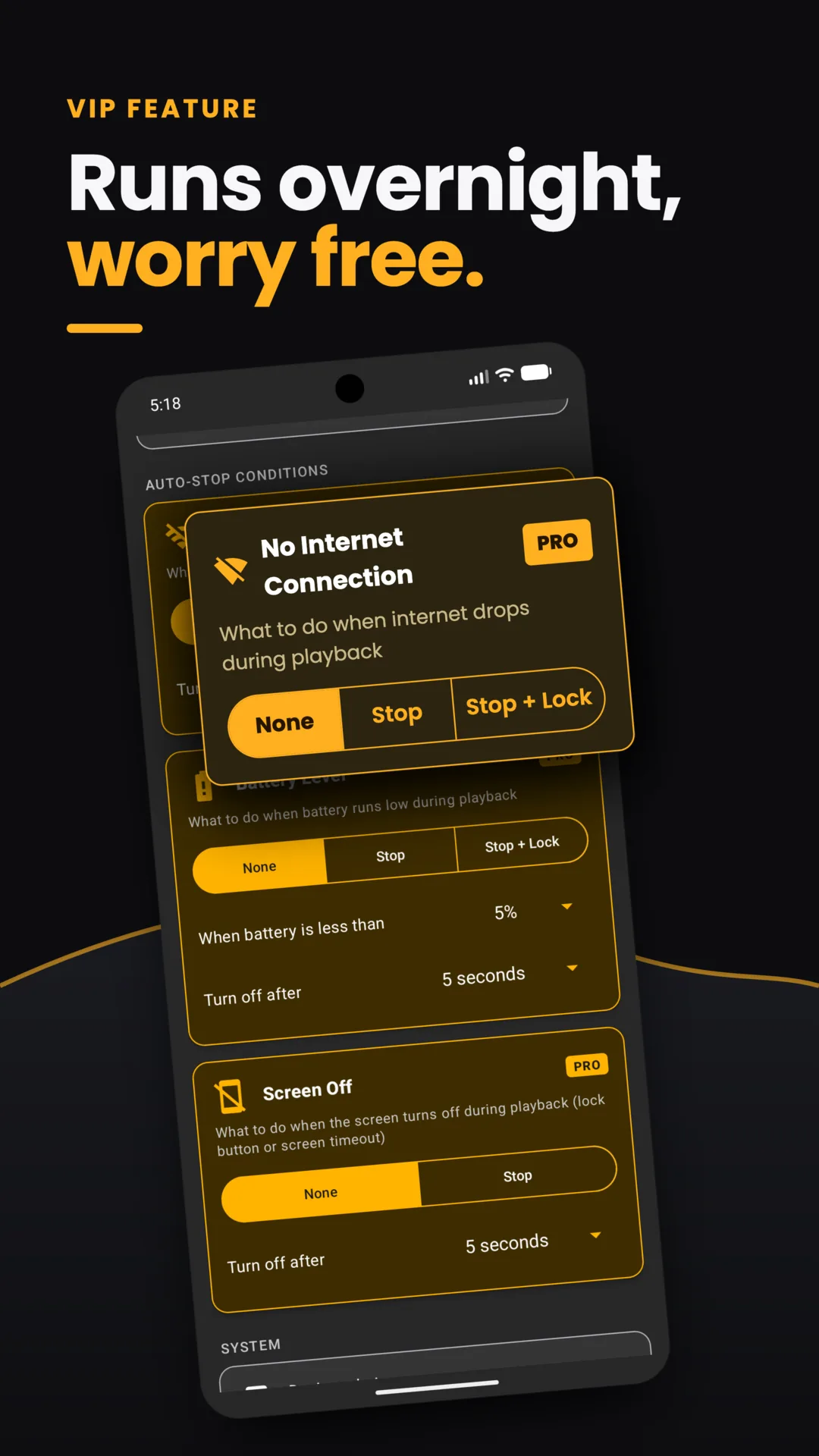
VIP feature
Playback safety
Auto-stop rules protect the phone on low battery, lost connection, or a dark screen.
Three independent conditions, each with the same three choices — None, Stop, or Stop + Lock: no internet connection, battery below a percentage you set, and screen off. A status strip on screen shows which rules are armed and the live battery reading while a script runs unattended.
Full feature list
Everything else in the build.
- Records taps, swipes, and multi-step gesture sequences with one finger, via Accessibility.
- Each recording stores its own playback speed and wait-between-repeats in a local database on the device.
- Adjust speed — 0.25x to 20x — and repeat count live, mid-playback, with no restart.
- Floating controls (Play, Stop, Edit, switch to record) stay on top of any app: 48dp targets, drag anywhere.
- Live tap-count and elapsed-time readout, plus a built-in routine-length calculator.
- Script catalog holds up to 1,000 saved recordings and merged routines.
- Runs on the Android Accessibility dispatch API — the only way to inject touches without root on stock Android.
- Recordings never leave the device. No gesture data is uploaded or sold.
- Dark theme throughout, with a short onboarding tour on first run only.
- Notification shows recording or playback status, as required on Android 13 and up.
Permissions
What gets asked, and why.
Recordings stay on the device. No data sale. Network calls are limited to ads and billing.
- Accessibility Lets the app dispatch taps for you. Required for non-rooted touch dispatch. No alternative on stock Android.
- Display over other apps So the floating controls sit on top of your game or app. TYPE_APPLICATION_OVERLAY. 48dp circles. Drag-positioned.
- Notifications Shows a small status while a recording is playing. Foreground-service notification. Required by Android 13+.
- Device Admin optional Used only with the "stop and lock" rule (Premium). Locks screen via DevicePolicyManager when a stop rule fires.
What's new
What's new in v2.4.1.
v2.4.1 is a stability release. It fixes a crash that could happen right as a recording started, and a separate crash that could occur during playback of a merged script.
v2.4.0 shipped the bigger update: Natural Playback, the human-like tap variation described above, plus a cleaner, simplified playback menu.
Install
Install Touch Recorder free and start automating taps today.
Free, with optional Premium. Android 7.0 and up.
Get on Google Play